
Product bundles make it easier for shoppers to buy related items together. But a bundle only works when customers notice it at the right moment.
Many Shopify stores hide bundle offers inside product descriptions, collection pages, or separate landing pages. That leaves the offer invisible to shoppers who never reach those sections.
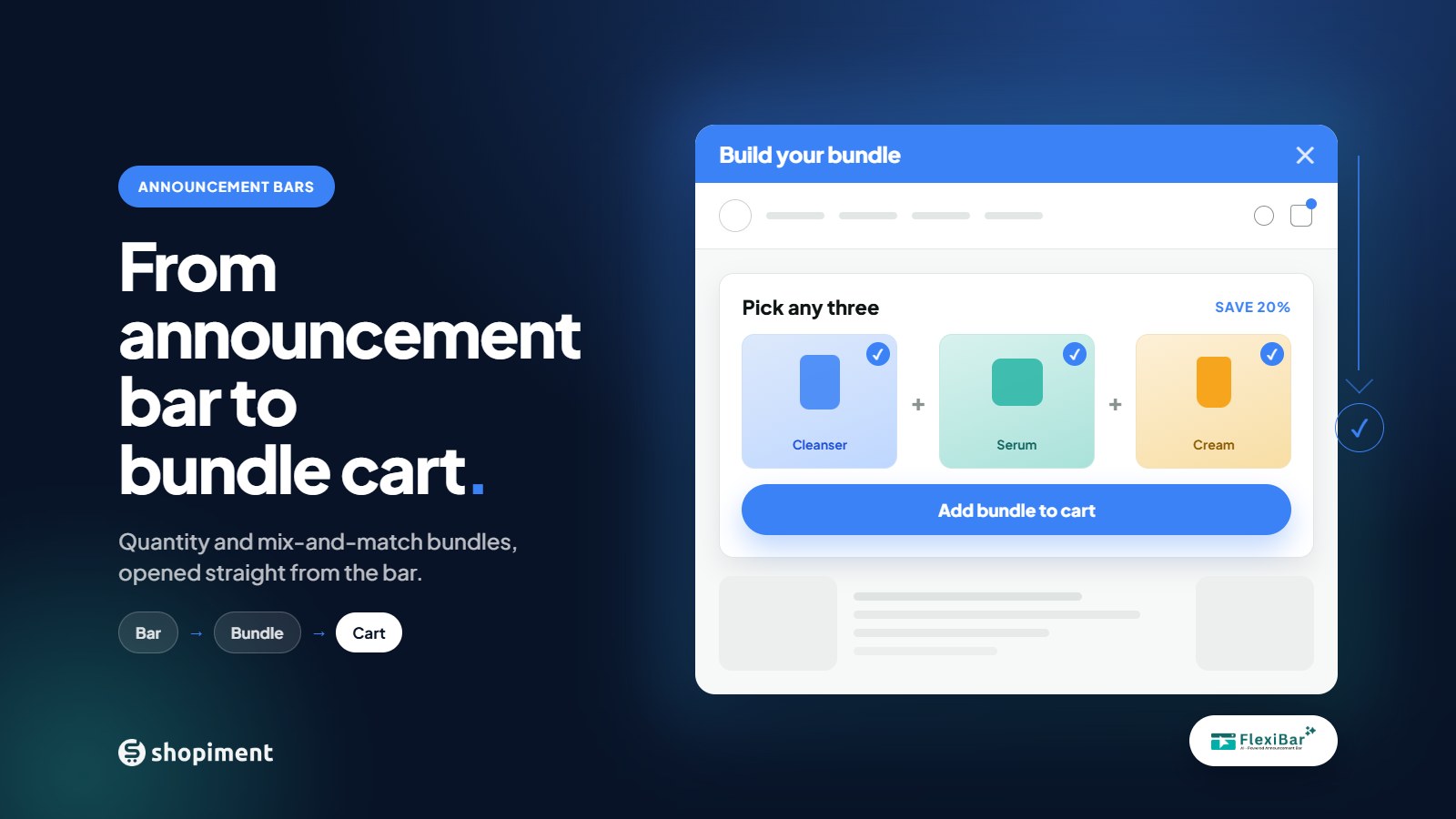
Flexibar's Selling Bar takes a different approach. It places the bundle offer inside the announcement bar, giving shoppers a direct path from seeing the message to choosing a bundle and adding it to cart.
What is a Selling Bar?
A Selling Bar is an announcement bar that opens a product bundle when a shopper interacts with it. Instead of only displaying a message like "Buy more and save", the bar connects that message to an action.
- The shopper sees the bundle message.
- They tap the Selling Bar.
- They choose a quantity or build a product set.
- They add the bundle to cart.
That turns the announcement bar from a promotional surface into a shopping surface.
Two ways to create Shopify product bundles
Flexibar Selling Bars support two bundle formats. The right option depends on what you sell and how much choice you want to give shoppers.
1. Quantity bundles
A quantity bundle offers different quantities of the same product - one, two, or three units from a set of clearly presented tiers. It suits products customers regularly need more than one of:
- Skincare and personal care
- Coffee, tea, and other consumables
- Supplements
- Candles
- Socks and basic apparel
- Pet supplies
Keep the message plain. Copy such as "Stock up and save" or "Choose your bundle" is easier to grasp than a description of the pricing rules.
2. Build your own bundles
A build-your-own bundle lets shoppers mix and match products from a collection you choose. A skincare store can let customers pick a cleanser, serum, and moisturizer. A stationery store can offer a notebook, pen, and desk accessory. A gift shop can let shoppers assemble their own set.
- Products naturally complement one another
- Shoppers value choice or personalization
- You want to introduce customers to more of your catalog
- The bundle solves one complete need or occasion
Keep the product pool focused. Too many choices turn a simple offer into another catalog to browse.
Why put a bundle inside an announcement bar?
The announcement bar is one of the most visible areas of a Shopify storefront. It can appear across the homepage, product pages, collection pages, or wherever you choose. Connecting a bundle to that bar creates a shorter journey: announcement bar -> bundle selection -> cart.
The shopper never has to discover a separate bundle page or decode the offer from a block of text. The message and the action stay together, which makes Selling Bars useful for campaigns like:
- New product bundles
- Seasonal gift sets
- Product launches
- Mix-and-match collections
- Stock-up offers
- Limited-time campaigns
"The goal is not to place the bar everywhere. It is to show a relevant offer where the shopper is most likely to understand it."
How to set up a Selling Bar in Flexibar
Step 1: Choose Selling Bar
Create a new bar in Flexibar and select Selling Bar as the bar type.
Step 2: Pick the bundle format
Choose Quantity Bundle if customers will select different quantities of one product. Choose Build Your Own if they will assemble a set from several products.
Step 3: Add products and bundle rules
Select the products shoppers can buy, then configure the quantity tiers, number of bundle slots, and reward rules the offer needs.
Step 4: Write the bar message
Lead with the shopper benefit and make the action obvious. Useful examples: Build your bundle, Pick any three, Create your own set, Stock up and save, Complete your routine. Never make the shopper calculate the offer before opening it.
Step 5: Match the bar to your store
Adjust typography, colors, placement, and button styling so the Selling Bar feels like part of your storefront rather than a bolted-on promotion.
Step 6: Choose where it appears
Use Flexibar's placement controls to pick the pages, devices, and countries where the bundle should show. A product-specific bundle works best on the relevant product and collection pages. A seasonal gift set fits the homepage. A shorter message is usually better on mobile.
Step 7: Preview and publish
Preview the whole journey on desktop and mobile. Confirm the message is readable, the products are easy to select, and the bundle reaches the cart correctly before publishing.
Best practices for better bundle offers
- Make the offer understandable in one sentence - "Build your self-care bundle" beats "Special offer available".
- Bundle products that belong together, not a random pairing.
- Reduce unnecessary choice: a small pool for build-your-own, a few clear tiers for quantity bundles.
- Design for mobile first - check the message, bundle cards, and add-to-cart on a small screen.
- Match the message to the page context. Relevance matters more than maximum reach.
- Measure the full journey: bar views, interactions, bundle selections, adds to cart, and orders.
Frequently asked questions
What is a Shopify product bundle?
A Shopify product bundle groups products or quantities into one offer. It can contain several units of the same item or a mix of complementary products the shopper picks.
What is the difference between a quantity bundle and build your own?
A quantity bundle gives shoppers quantity options for one product. Build your own lets shoppers choose different products from a selection you define.
Where can a Selling Bar appear?
Selling Bars use Flexibar's placement controls, so you choose the pages, devices, and countries where the offer shows.
Can shoppers add the bundle directly to cart?
Yes. The bundle picker includes an add-to-cart action, so shoppers move from the announcement bar to the cart without visiting multiple product pages.
Does a Selling Bar replace a regular announcement bar?
No. It is an extra bar type for campaigns that need a shoppable bundle. You can keep using other Flexibar formats for shipping messages, countdowns, promotions, and general announcements.
Turn your announcement bar into a shopping journey
An announcement bar is valuable because shoppers notice it. A product bundle is valuable because it organizes a purchase around a clear offer. Selling Bar brings the two together.
Create a quantity bundle for a simple stock-up offer, or let shoppers build their own set. Then place the offer where it is relevant, keep the message clear, and test the full experience on mobile.
Run bundles straight from your announcement bar
Flexibar's Selling Bar is free and supports quantity tiers and build-your-own bundles, with the bundle price applied at checkout.
Install Flexibar FreeReady to run bars that actually sell?
Flexibar is free to install. AI copy in 60+ languages, countdown timers, and a free Selling Bar that lets shoppers build a bundle and add it to cart - no credit card required.
Install Flexibar Free →⭐ Free on the Shopify App Store · Instant setup · No credit card